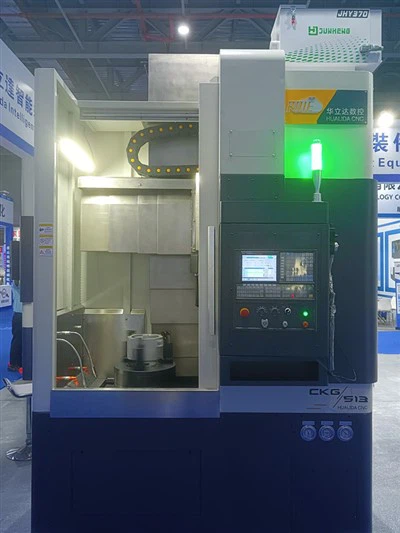
As a supplier of the CKG5110 CNC Vertical Lathe, one of the most common questions I receive from potential customers is whether this machine can be connected to a computer. In this blog post, I'll delve into the details of this query, exploring the capabilities, benefits, and considerations of connecting the CKG5110 CNC Vertical Lathe to a computer.
Technical Feasibility of Connecting the CKG5110 CNC Vertical Lathe to a Computer
The CKG5110 CNC Vertical Lathe is designed with modern manufacturing requirements in mind, and yes, it can be connected to a computer. This connectivity is made possible through a variety of interfaces, such as Ethernet, USB, and RS - 232 ports. These interfaces allow for seamless data transfer between the lathe and the computer, enabling operators to program, monitor, and control the machining process more efficiently.
The Ethernet port, in particular, offers high - speed data transfer, which is crucial for transferring large CNC programs. With an Ethernet connection, you can quickly send complex machining instructions from your computer to the lathe, reducing the setup time significantly. USB ports, on the other hand, are more versatile and can be used for transferring data from external storage devices or for direct connection to a computer. The RS - 232 port, although slower than Ethernet, is still a reliable option for legacy systems or for situations where a simple and stable connection is required.
Benefits of Connecting the CKG5110 CNC Vertical Lathe to a Computer
1. Enhanced Programming Capabilities
When the CKG5110 is connected to a computer, operators can use specialized CNC programming software on their computers. These software packages offer advanced features such as CAD/CAM integration, which allows for the creation of highly accurate and complex machining programs directly from 3D models. This not only saves time but also reduces the risk of programming errors.
2. Real - Time Monitoring and Control
By connecting the lathe to a computer, operators can monitor the machining process in real - time. They can track parameters such as spindle speed, feed rate, and tool position, and make adjustments as needed. This real - time monitoring helps in ensuring the quality of the machined parts and can prevent costly mistakes.
3. Data Management and Analysis
The connection to a computer enables the collection and storage of machining data. This data can be analyzed to optimize the machining process, identify trends, and predict maintenance requirements. For example, by analyzing the spindle load data over time, operators can determine when a tool needs to be replaced or when the machine requires maintenance.
4. Integration with the Factory Network
Connecting the CKG5110 to a computer allows for integration with the factory network. This enables seamless communication between the lathe and other manufacturing equipment, such as robots, conveyor systems, and quality control devices. Such integration can lead to increased automation and improved overall productivity in the factory.
Considerations When Connecting the CKG5110 CNC Vertical Lathe to a Computer
1. Software Compatibility
It is essential to ensure that the CNC programming software used on the computer is compatible with the control system of the CKG5110 CNC Vertical Lathe. Different lathe models may have different control systems, and the software must be able to communicate with the specific control system to function correctly.
2. Network Security
When connecting the lathe to a computer and integrating it with a factory network, network security is of utmost importance. The CNC machine may be vulnerable to cyber - threats, such as malware attacks and unauthorized access. Therefore, appropriate security measures, such as firewalls, antivirus software, and secure network protocols, should be implemented to protect the machine and the factory data.


3. Training and Support
Operators need to be trained on how to connect the CKG5110 to a computer and use the associated software. As a supplier, we provide comprehensive training and technical support to ensure that our customers can make the most of the connectivity features of the lathe.
Comparison with Other Models in Our Product Line
In addition to the CKG5110 CNC Vertical Turning Lathe, we also offer other models such as the CKG513 CNC Vertical Turning Lathe and the CKG516 CNC Vertical Turning Lathe. These models also have computer connectivity capabilities. However, the specific features and performance may vary depending on the model.
The CKG513 is a more compact model, suitable for small - scale machining operations. It has similar connectivity options as the CKG5110 but may have a lower processing power. The CKG516, on the other hand, is a larger and more powerful machine, capable of handling larger workpieces. It offers enhanced connectivity features and can support more complex machining programs.
Conclusion and Call to Action
In conclusion, the CKG5110 CNC Vertical Lathe can indeed be connected to a computer, offering a wide range of benefits for modern manufacturing. Whether you are looking to enhance programming capabilities, improve real - time monitoring, or integrate the lathe into your factory network, the computer connectivity feature of the CKG5110 is a valuable asset.
If you are interested in learning more about the CKG5110 CNC Vertical Turning Lathe or any of our other products, or if you are ready to start a procurement discussion, please feel free to reach out. Our team of experts is always available to answer your questions and help you find the right solution for your manufacturing needs.
References
- "CNC Machining Handbook", Industrial Press Inc.
- "Modern Manufacturing Technology", Pearson Education