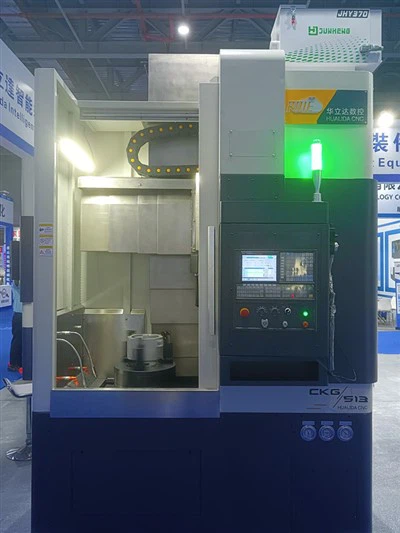
Hey there! As a supplier of CNC vertical turning lathes, I often get asked about how to upgrade the software of these machines. It's a crucial aspect that can significantly enhance the performance, efficiency, and functionality of your lathe. So, let's dive right in and explore the steps and considerations for upgrading the software of a CNC vertical turning lathe.
Why Upgrade the Software?
Before we get into the how-to, let's quickly touch on why you might want to upgrade the software in the first place. New software versions often come with bug fixes, which can prevent those annoying glitches that might disrupt your machining operations. They also bring performance improvements, like faster processing speeds and more accurate toolpath calculations. Additionally, software upgrades can introduce new features, such as advanced programming capabilities or better compatibility with other manufacturing systems.
Step 1: Check Compatibility
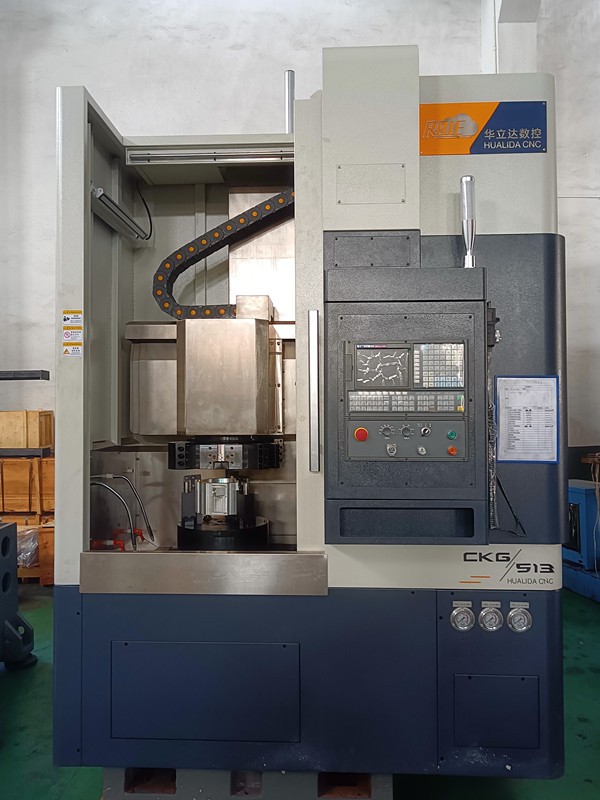
The first thing you need to do is make sure that the new software is compatible with your CNC vertical turning lathe. Different lathes have different control systems, and not all software will work with every machine. You can usually find this information in the machine's user manual or by contacting the manufacturer. If you're not sure, don't hesitate to reach out to our support team. We're always happy to help you figure out if a particular software upgrade is right for your New Vertical Lathe.

Step 2: Back Up Your Data
Once you've confirmed compatibility, it's time to back up all your important data. This includes your existing programs, tool offsets, and any other settings that are specific to your machining operations. Losing this data during the upgrade process could be a major headache, so it's better to be safe than sorry. You can back up your data to an external storage device, such as a USB drive or an external hard drive. Make sure to label the backup clearly so you know what's on it.
Step 3: Download the Software
After backing up your data, you can download the new software from the manufacturer's website. Make sure you download the correct version for your machine. Some manufacturers may require you to create an account or provide a license key to access the download. If you run into any issues during the download process, our support team can assist you.
Step 4: Install the Software
Once the download is complete, it's time to install the new software. The installation process can vary depending on the software and the control system of your lathe. In most cases, you'll need to follow a series of on-screen instructions. It's important to read these instructions carefully and follow them step by step. If you're not comfortable installing the software yourself, our technicians can do it for you. Just let us know, and we'll schedule a convenient time to come to your facility and handle the installation.
Step 5: Test the Software
After the installation is finished, it's crucial to test the new software to make sure it's working properly. You can start by running some simple test programs to check the basic functionality of the machine. Pay attention to any error messages or unusual behavior. If you encounter any problems, don't panic. Our support team has extensive experience troubleshooting software issues and can help you get everything up and running smoothly.
Step 6: Train Your Operators
Even if the new software is an improvement, your operators may need some time to get used to it. It's a good idea to provide training to your staff so they can take full advantage of the new features and functionality. We offer training programs for our CKG5110 CNC Vertical Lathe and CKG514 CNC Vertical Lathe operators. These programs can be conducted on-site at your facility or online, depending on your preference.
Considerations for Software Upgrades
When upgrading the software of your CNC vertical turning lathe, there are a few additional considerations to keep in mind.
- Cost: Software upgrades can vary in price. Some may be free, while others may require a significant investment. It's important to weigh the cost against the benefits to determine if the upgrade is worth it for your business.
- Downtime: The upgrade process may require your lathe to be offline for a period of time. Plan ahead to minimize the impact on your production schedule. You can schedule the upgrade during a maintenance window or a slow period in your production cycle.
- Security: Make sure to keep your software up to date to protect against security vulnerabilities. New software versions often include security patches that can help prevent unauthorized access to your machine's control system.
Conclusion
Upgrading the software of your CNC vertical turning lathe can be a great way to improve its performance, efficiency, and functionality. By following the steps outlined above and keeping the considerations in mind, you can ensure a smooth and successful upgrade process.
If you're interested in upgrading the software of your CNC vertical turning lathe or if you have any questions about our products, don't hesitate to contact us. We're here to help you make the most of your machining operations. Whether you're looking for a New Vertical Lathe, a CKG5110 CNC Vertical Lathe, or a CKG514 CNC Vertical Lathe, we have the expertise and the products to meet your needs. Let's start a conversation about how we can help you take your manufacturing to the next level.
References
- Manufacturer's user manuals for CNC vertical turning lathes
- Industry best practices for software upgrades in CNC machining